 Beau
BeauWhat Questions Should Be on Your FAQ Page?
Most FAQ pages answer questions nobody asked. Here’s how to find the ones people actually ask.
Open almost any small business FAQ page and you’ll find some version of this:
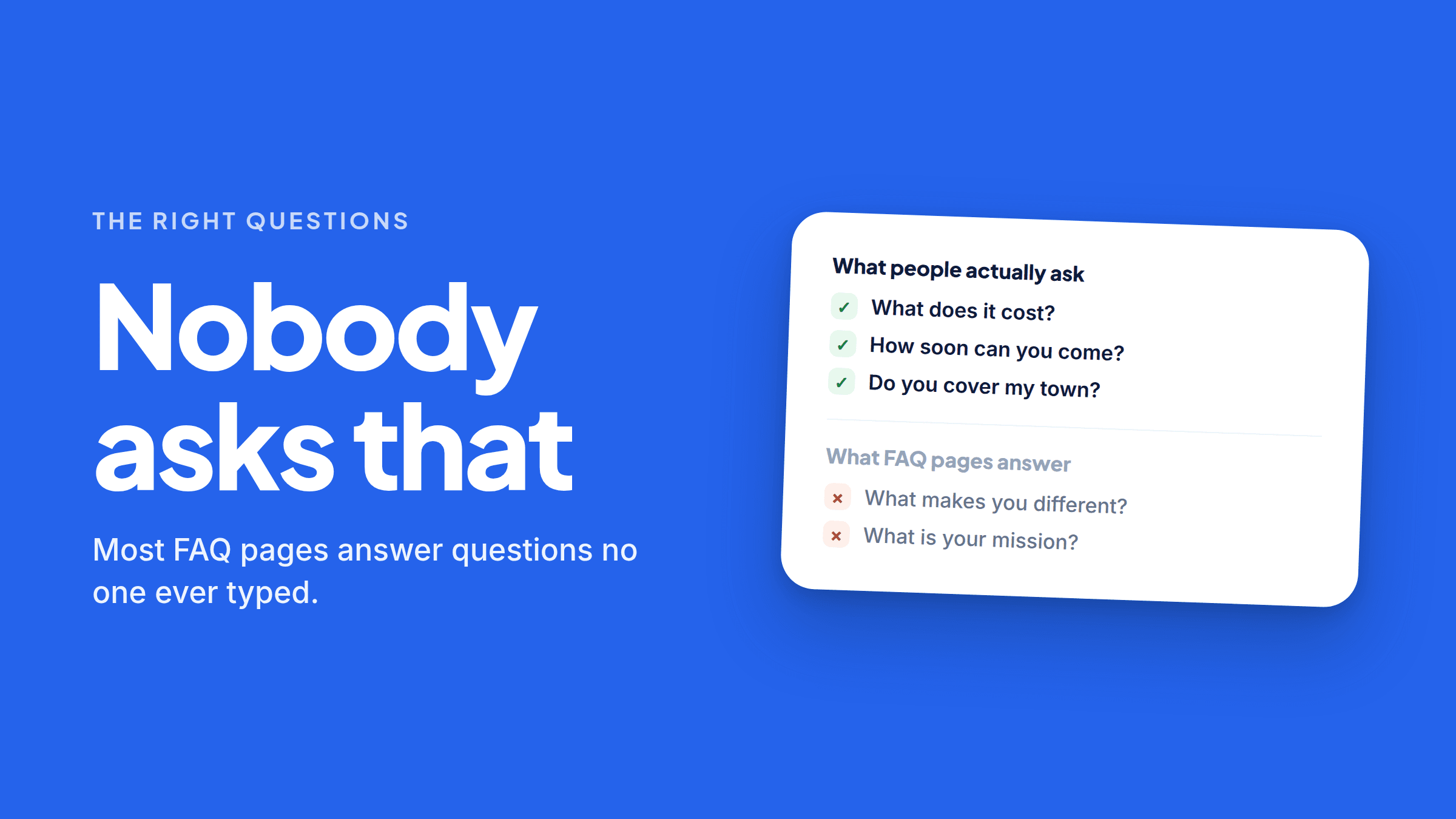
What makes you different? Are you committed to quality? What is your mission?
Nobody has ever typed those into anything. They’re not questions — they’re marketing prompts wearing a question mark.
Meanwhile the things customers actually ask, ten times a day, on the phone, are nowhere on the page.
Fixing that is one of the highest-return afternoons available to a small business right now, because those questions are exactly what people type into AI assistants — and an answer engine can only recommend you if something readable answers the question it was asked.
The three-source method for finding your real questions
You don’t need keyword tools. You need to write down what’s already happening.
1. Your phone. For one week, keep a note open and jot down every question a customer asks before they book. Not after — before. Those are buying questions, and they’re the ones you want on the page. You’ll have fifteen by Wednesday and they’ll repeat heavily.
2. Your inbox. Search your email for question marks. Look at what people ask in a first message. Same for your contact form submissions, your DMs, and your text messages.
3. Ask an AI what people ask. Genuinely useful and takes two minutes: “What do people usually ask before hiring a [your trade] in [your town]?” You’ll get a solid starter list, and you can sanity-check it against what you know.
Then ask the assistants the customer questions themselves and see who gets named. Whoever keeps coming up has a website that answers something yours doesn’t.
The questions almost every business should answer
There’s a core set that applies across nearly every local or service business. If yours doesn’t cover these, start here.
Money
- What does [common service] cost, or what’s the typical range?
- Do you charge a call-out, diagnostic, or consultation fee — and is it waived if I book?
- Do you offer financing or payment plans?
- Do you give free estimates?
Availability and speed
- How soon can you come out?
- Do you offer emergency or same-day service?
- What are your hours, and do you work weekends?
- Is there an after-hours or weekend surcharge?
Where
- Which towns and neighborhoods do you serve?
- Do you travel outside that area, and is there a fee?
Scope
- What exactly do you do?
- What don’t you do?
- Do you handle [the specific thing customers always ask about]?
Trust
- Are you licensed and insured?
- Do you guarantee your work, and for how long?
- How long have you been doing this?
Process
- What happens on the first visit?
- How long does the job usually take?
- Do I need to be home?
- How do I pay?
That’s more than most businesses need to publish at once. Pick the ten your customers actually ask most and answer those properly rather than covering all twenty badly.
The four tests for a good FAQ question
Before something goes on the page, check it against these.
Is it phrased the way a person would say it? “Do you cover Lakewood?” not “Service Area Information.” Match the words in someone’s head, because those are the words they type.
Does it have a real answer? If your answer is “it depends,” either give the ranges and what they depend on, or leave the question off. A non-answer is worse than silence — it wastes the one chance you had to be specific.
Would answering it honestly ever cost you a job? If yes, that’s usually a sign it should be on there. “We have a $250 minimum” filters out the customer who was going to be annoyed anyway, and it makes every other answer on the page more credible.
Is it something a customer would ask, or something you’d like them to think? “What makes you different from other roofers?” is the second kind. Cut it.
The four to actually skip
Mission and values questions. Put that on your About page if you want it. It has no place in a set of answers.
Anything that’s really a sales pitch. “Why should I choose you?” is a pitch. If it’s genuinely useful, rewrite it as a real question: “Do you do the work yourselves or subcontract it?”
Questions with no answer. See above.
Questions you invented for keywords. If nobody has ever asked it, it doesn’t help you, and it dilutes the questions that do.
How to write the answers
Format matters as much as content, because you’re writing for two readers: a customer skimming, and a machine extracting.
Answer in the first sentence. No preamble. “Yes — we cover Lakewood, Golden, and Arvada at no extra charge.” Then any detail after.
Two to four sentences. Engines pull chunks; a tight chunk gets used and a long paragraph gets skipped. Customers skim, and the same brevity wins there too.
Real numbers, real place names, real timeframes. “Fast service” is unquotable. “Most calls booked within 24 hours” is a sentence an AI can lift directly into an answer.
No hedging you don’t need. “Prices may vary depending on many factors” adds nothing. If it varies, say what it varies with and give the range.
Update it when reality changes. An FAQ with last year’s prices actively harms you — a customer who was told $89 and gets charged $129 is a bad start.
Then make sure a machine can actually read it
This is the step that quietly undoes everything else.
Most FAQ plugins and accordion widgets build their answers with JavaScript after the page loads. AI crawlers generally don’t run JavaScript — they fetch the raw HTML and move on. So your perfect, specific, hard-won answers are visible to visitors and completely absent for the engines you wrote them for.
Check it in twenty seconds: open your live page, right-click, choose View Page Source, then press Ctrl+F and search for one of your answers. If it’s not there, it’s not in the page.
⚠️ Use View Page Source, not Inspect Element. Inspect shows you the page after scripts have run, which is what a person sees rather than what a crawler gets.
The fix is putting the questions and answers in as plain HTML. Every major builder has a native code or HTML block for it — we walked through all four step by step here. On Wix, use native text elements instead, since its embed tool wraps content in an iframe that crawlers treat as a separate document.
And none of this is a departure from ordinary SEO — a clear, crawlable page that answers real questions has always been good for search. Answer Engine Optimization is the floor above that foundation: writing those answers so they can be lifted cleanly into somebody else’s answer, and making sure they’re actually readable when the engine arrives.
Where FaqFlo comes in
FaqFlo does the finding and the formatting.
It surfaces the questions people are actually asking AI about businesses like yours in your area, drafts answers in the direct, specific style engines quote, and gives you crawlable HTML to paste onto your own website — with a check afterward confirming the text really landed in the page. Then it tracks whether ChatGPT, Perplexity and Gemini start naming you, and flags new questions coming up that you don’t answer yet.
You already know the answers. This is mostly about writing down the right questions.
Frequently asked questions
How many questions should be on an FAQ page?
Ten to fifteen well-answered questions beats thirty thin ones. Pick the questions customers genuinely ask before booking, answer each in two to four specific sentences, and add more over time as new ones come up.
What questions do customers actually ask before hiring?
Overwhelmingly: what it costs, how soon you can come, whether you cover their town, whether there’s a call-out fee, what’s included, and whether you’re licensed and guaranteed. Money, speed, and location come up before anything else.
Should I include pricing on my FAQ page?
Yes, at least as a range with what it depends on. Vague pricing gives an answer engine nothing to quote and gives customers a reason to call someone who was upfront, and it filters out enquiries that were never going to book.
Does an FAQ page help with SEO and AI visibility?
It helps both, as long as the content is readable. Question-and-answer format matches how people search and how AI answers are built — but if the answers are rendered by JavaScript, neither search engines nor AI crawlers get the benefit.
Where should the FAQ go on my website?
A dedicated FAQ page works well, and it’s often even better to also place the three or four most relevant questions directly on the related service page. What matters most is that the text is in the page source rather than loaded in by a script.

Written by
Beau
👋 Hi, I’m Beau. I’ve spent almost 20 years in marketing — long enough to watch the whole game change more than once. I was there when SEO was the answer, then social, then content, and now the biggest shift yet: people asking AI instead of Googling. Somewhere along the way I got tired of watching good small businesses do everything “right” and still stay invisible to the tools that increasingly decide who gets found. That’s why I built FaqFlo — my mission is to help you grow your business in the modern world of AI, so you become the answer, not just another link nobody clicks.
Looking for something else?
Search the archive by title, summary, or the questions a post answers.